MultiTime Press Kit

Menu Bar Time Zones
World clocks, always visible.
MultiTime is a native macOS app for keeping the time zones you care about directly in your menu bar.
Download the complete press kit (ZIP, 20.6 MB)
Includes 19 images, reusable descriptions, product facts, and contact details.


About MultiTime
MultiTime keeps the time in other places visible while you work. Add the cities that matter to you, then check their clocks without opening another window.
It is useful for remote teams, international calls, travel planning, and staying in touch with people abroad. Its focus is the everyday time check, with a compact two-row layout and a Time Travel planner for comparing the same moment across locations.
One clock is free. A one-time Pro purchase adds unlimited clocks, custom labels, two-row layouts, and Time Travel. No account or subscription is required.
Features and interface
Time Travel (Pro)
Move the slider or edit a displayed time to compare the corresponding times across your saved locations.
The planner previews up to 24 hours backward or forward, with 15-minute slider increments. It compares times; it does not create calendar events or book meetings.
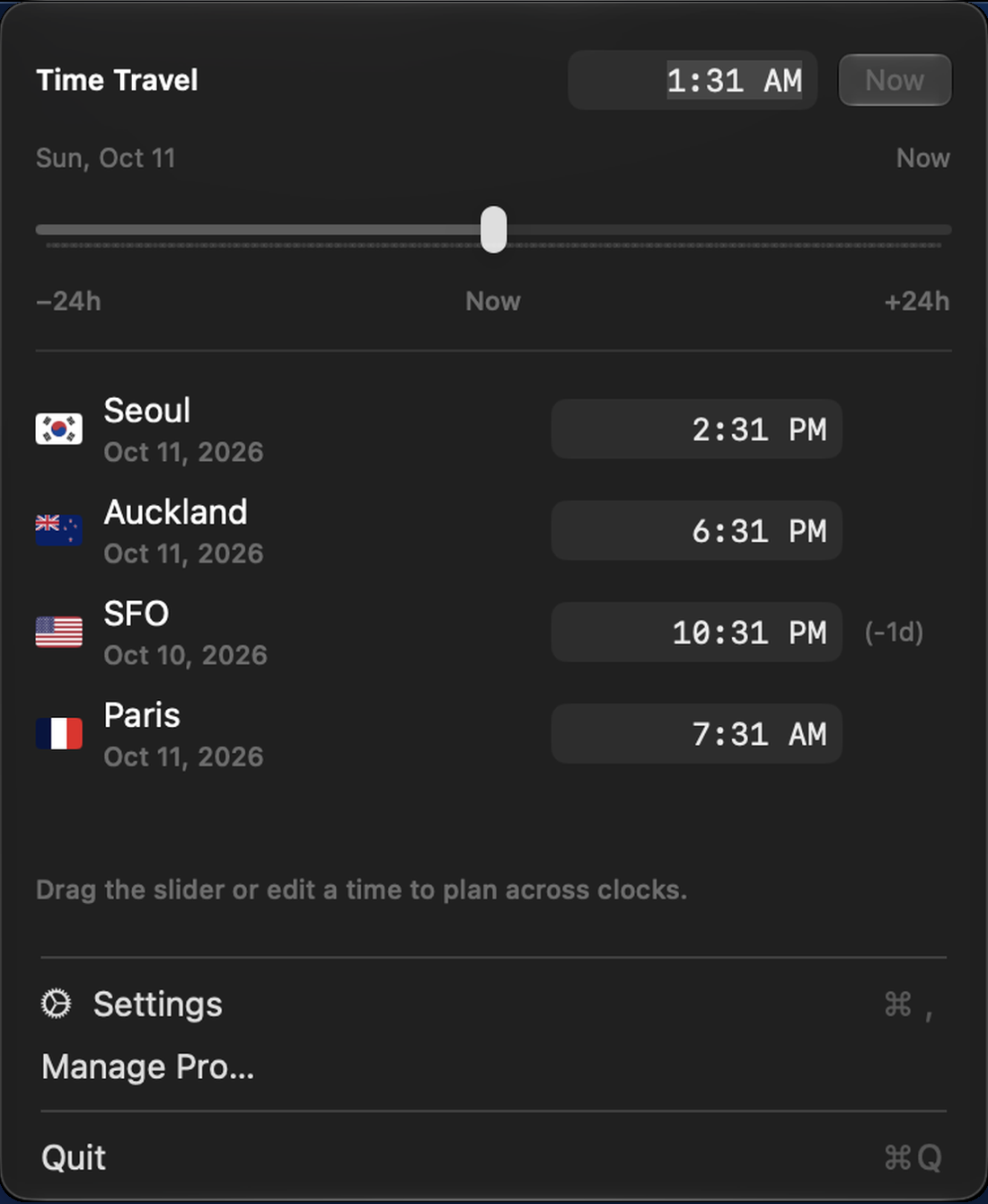
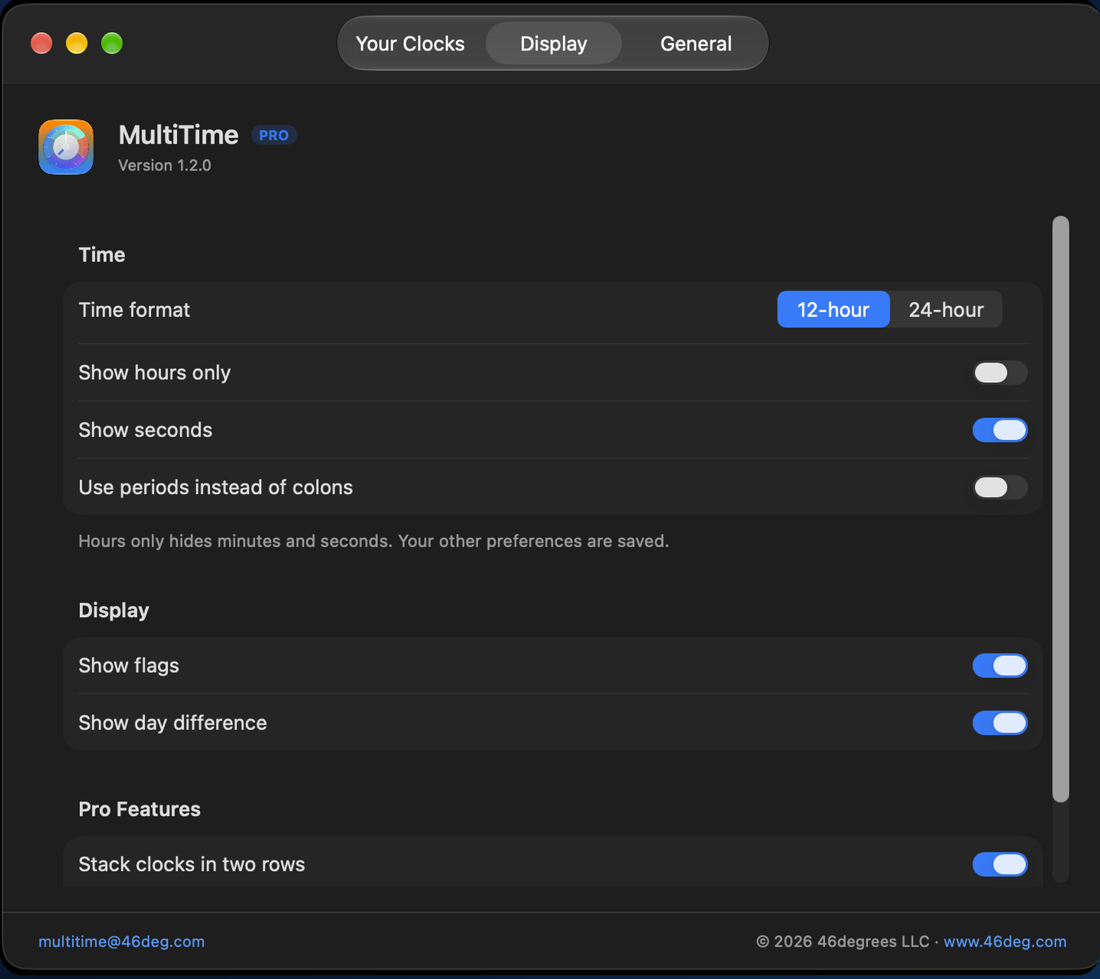
Clocks that fit your menu bar
Choose 12- or 24-hour time, optional seconds, country flags, day differences, or an hours-only view. Pro adds custom labels and a two-row layout that uses less menu bar width.
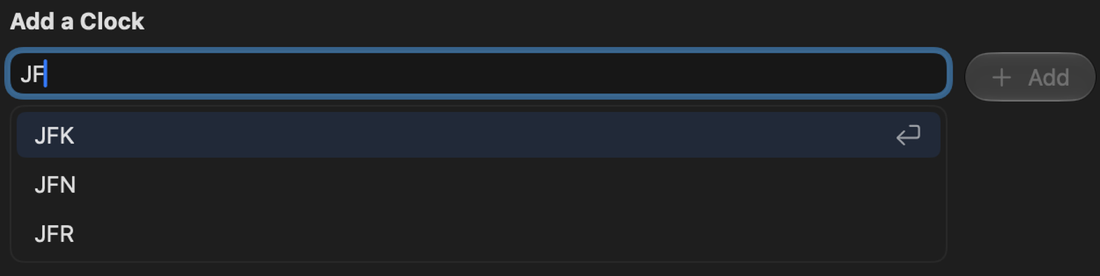
Find a city or airport
Search by city, time zone, or IATA and ICAO airport codes. Choose a result and add a clock.
Screenshots and media
Download clean app captures for articles, the original icon, or composed artwork for videos and features. Select a preview to inspect the full-resolution file.

1024 × 1024 · PNG · 2.7 MB
Download PNG

128 × 128 · PNG · 24 KB
Download PNG
256 × 256 · PNG · 72 KB
Download PNG

512 × 512 · PNG · 237 KB
Download PNG

1390 × 350 · PNG · 35 KB
Download PNG

1510 × 1345 · PNG · 222 KB
Download PNG
570 × 76 · PNG · 52 KB
Download PNG

1108 × 1350 · PNG · 197 KB
Download PNG

1470 × 1305 · PNG · 198 KB
Download PNG

2880 × 1800 · PNG · 2.3 MB
Download PNG

2880 × 1800 · PNG · 1.7 MB
Download PNG

2880 × 1800 · PNG · 2.3 MB
Download PNG

2880 × 1800 · PNG · 1.9 MB
Download PNG

2880 × 1800 · PNG · 1.7 MB
Download PNG

2400 × 1200 · PNG · 2.4 MB
Download PNG

1920 × 1080 · PNG · 1.7 MB
Download PNG

1200 × 630 · PNG · 497 KB
Download PNG

1920 × 1080 · PNG · 1.3 MB
Download PNG

1920 × 1080 · PNG · 1.3 MB
Download PNG
For accurate captions: multiple clocks, custom labels, two-row layouts, and Time Travel require Pro. Screenshots show the actual application interface. Promotional images add surrounding text and backgrounds.
The promotional collection includes three 1920 × 1080 feature images, one 2400 × 1200 wide editorial image, a 1200 × 630 social image, and five 2880 × 1800 App Store compositions.
Download all materials (20.6 MB) · Editorial-use notes · File manifest
Product facts
US pricing is shown; local prices may differ. See the App Store for the latest availability and compatibility information.
- Product
- MultiTime – Menu Bar Time Zones
- Platform
- macOS only
- Compatibility
- macOS 14.0 or later
- Developer
- 46degrees LLC · New York
- Distribution
- Mac App Store
- Category
- Productivity
- Free version
- One clock
- MultiTime Pro
- $4.99 USD · one-time in-app purchase (US store)
- Pro includes
- Unlimited clocks, custom labels, two-row layouts, and Time Travel
- Languages
- English, German, Korean, Spanish
- Account & privacy
- No account required; no app data collected, per the published privacy policy
Sources: Mac App Store · MultiTime privacy policy · 46degrees.
Press descriptions
The short version
MultiTime keeps world clocks in your Mac menu bar. Start with one free clock; a one-time Pro upgrade adds unlimited clocks, custom labels, two-row layouts, and Time Travel for planning.
- Product overview — approximately 100 words.
- Editorial description — approximately 200 words.
- Developer description.
- Official links and contact details.
About the developer
46degrees LLC is an independently owned and operated software company based in New York, focused on developing meaningful software. Its apps include MultiTime for macOS and Semo, a notepad calculator for iPhone, iPad, and Mac.
Press contact
For product questions, additional screenshots, or a walkthrough:
multitime@46deg.com